Choosing an Inference Setup
LLM-backed steps in matchminer-ai can run in three setups. Pick based on
where your GPUs are and whether you want a persistent server:
| Package mode | Setup | Use when |
|---|---|---|
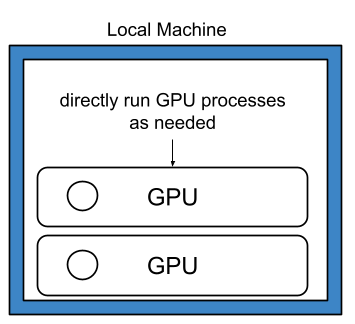
| Local | Run the model directly | You have local GPUs and want the simplest setup |
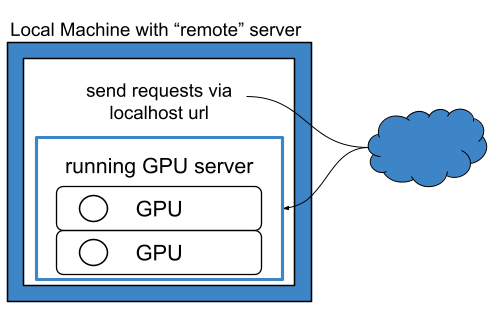
| Remote | Connect to a local vLLM server | You have local GPUs but want to run a persistent, reusable VLLM server on them to be used by MatchMiner-AI |
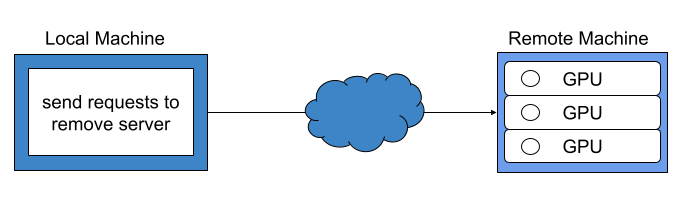
| Remote | Connect to another endpoint | The model is hosted elsewhere (another machine, cluster, service) |
The two remote setups configure identically — you provide an endpoint URL either way. The only difference is where that endpoint lives. Local mode is the odd one out: no URL, no server process, nothing to manage.
While local mode is easiest to implement, there can be efficiency gains when using remote mode on a local vLLM server. Please see Remote Package Mode for more information.
Local Package Mode
Run the Model Directly
matchminer-ai loads and runs the model in-process, using its built-in vLLM
backend — no separate server to start or manage. This is the simplest option
when the machine running matchminer-ai has enough GPU memory.
The model unloads when the workflow process ends, so this fits one-off runs and testing better than long-running deployments.
Model and vLLM settings are provided through the package configuration.
Remote Package Mode
Both setups below use remote mode: matchminer-ai talks to the model over an
OpenAI-compatible API instead of loading it in-process — even when the model
is running on the same machine.
Connect to a Local vLLM Server
Run the model in a separate vLLM server process on the same machine, and
point matchminer-ai at it. This keeps the model loaded and reusable across
multiple calls or workflows, rather than reloading it each run.
It can also be faster for larger batches: the remote backend sends bounded concurrent requests and can distribute work across configured server URLs. Actual gains depend on the model, hardware, vLLM server settings, prompt sizes, and configured concurrency.
matchminer-ai provides the
start_vllm_servers() helper to start one local
OpenAI-compatible vLLM server for each endpoint URL in the package
configuration. With the default
configuration, this starts one server at a localhost URL.
Connect to Another Endpoint
Point matchminer-ai at a model hosted elsewhere — another machine, a
compute cluster, or an approved service with an OpenAI-compatible chat
completions API.
The model host manages GPU resources and the inference server; you only configure the endpoint URL. It doesn't have to be a vLLM server.
Remote mode expects the endpoint to return the final answer text in
message.content. The default tested setup is a vLLM server with a compatible
reasoning parser, which separates reasoning text from final answer text. Other
OpenAI-compatible endpoints may work only if they return final answer text in
message.content; endpoints that include reasoning text in message.content
are not currently supported.
Warning
Before sending clinical text to an endpoint outside your local environment, confirm that the endpoint is approved for your data and institution.